
Internal linking is one of the most impactful things you can do for SEO, yet most websites barely think about it. Not in a "nice to have" way. In a "pages with well-structured internal links get up to 4x more organic traffic" way, according to a study of 23 million internal links by Zyppy.
Google's own John Mueller has called internal linking "super critical for SEO... one of the biggest things that you can do on a website to guide Google and guide visitors to the pages that you think are important" (Search Engine Journal).
This isn't a "best practices" listicle. This is what the actual research, controlled experiments, and Google's own engineers say about why internal links matter so much.
What the data actually says about internal links and rankings
Internal links have a direct, measurable impact on organic traffic. Studies of over 23 million internal links show that pages with more incoming internal links consistently receive more Google traffic, with the strongest results at around 40 to 44 links per page. Strategic internal linking can boost rankings by up to 40% and increase organic traffic by 25% or more.
Zyppy's 23 million link study is the most comprehensive internal linking analysis available. Cyrus Shepard's team analyzed 23 million internal links across 1,800 websites and roughly 520,000 URLs, then cross-referenced everything with Google Search Console click data. Their headline finding: pages with more incoming internal links consistently received more Google traffic. But the effect reversed after approximately 44 to 50 internal links, when traffic began declining (Zyppy).
The takeaway is not "add as many links as possible." It's that internal links have a measurable, consistent correlation with traffic, up to a clear ceiling.
Authority Hacker studied 1 million internal links across roughly 10,000 URLs ranking in the top 20. Raw internal link count showed no strong correlation with rankings on its own, because navigation and footer links introduced too much noise. But once they isolated meaningful signals, the picture changed. Internal links from pages with more external backlinks improved rankings further, suggesting that internal links effectively channel external authority to the pages that need it most. The study concluded that proper internal linking can boost rankings by up to 40% (Authority Hacker).
Semrush's 2024 ranking factors study analyzed over 16,000 keywords across the top 20 positions, measuring 60+ factors. Text relevance had the highest correlation (0.47) with rankings, while Domain Authority Score showed a 0.21 correlation, demonstrating the importance of site-wide authority distribution (Semrush). Semrush also offers an Internal LinkRank metric in their Site Audit tool, specifically designed to measure how well a site distributes authority through internal links.
Backlinko's analysis of 11.8 million Google search results added another angle: pages closer to the homepage get a slight authority boost compared to pages buried deep in a site's architecture (Backlinko). This makes intuitive sense. If Google has to click through five levels of navigation to find a page, it signals that the page isn't a priority.
Controlled experiments prove it's not just correlation
Correlation studies suggest a relationship. Controlled A/B tests prove it. And the results from SearchPilot are some of the strongest causal evidence available.
SearchPilot's grocery website test used a true controlled SEO split test with statistical confidence intervals. The setup was simple: they added internal links from Level 2 category pages to Level 3 category pages. The result was a 25% uplift in organic traffic across both levels combined, generating an estimated 9,200 additional organic sessions per month. Both the source and destination pages benefited, which surprised even the researchers. SearchPilot called it "one of our most positive tests to date" (SearchPilot).
That's not an isolated result. Across multiple other controlled tests, SearchPilot documented consistent wins:
- A geographic cross-linking test on roughly 8,000 regional pages produced a 7% traffic uplift on pages receiving new links
- Expanding homepage footer links yielded a 5% uplift for destination pages
- Reducing links in a link block improved rankings for the remaining linked pages through more focused equity distribution
- Fixing 301 redirect internal links to point to final destinations also showed positive outcomes
Separately, SEOTesting ran 15 internal link tests on their own website and reported that 80% showed positive results, 0% were neutral, and 20% were negative. The average impressions change was +264.5%, and the average position improvement was 4.87 positions (Screaming Frog).
The consistency of these results across different sites, industries, and test designs makes the conclusion hard to argue with. Internal linking doesn't just correlate with better performance. It causes it.
What Google says about internal linking, in their own words
Google's engineers have been remarkably transparent about how they use internal links. Their public statements, official documentation, and patents paint a clear picture.
"Internal linking is super critical for SEO. I think it's one of the biggest things that you can do on a website to kind of guide Google and guide visitors to the pages that you think are important." — John Mueller, Google Search Central Office Hours, March 2022
Mueller also explicitly warned that structured data cannot replace HTML internal links: "Even if in the structured data you also provide URLs, we don't use those URLs in the same way as we would use normal internal links on a page" (Search Engine Journal).
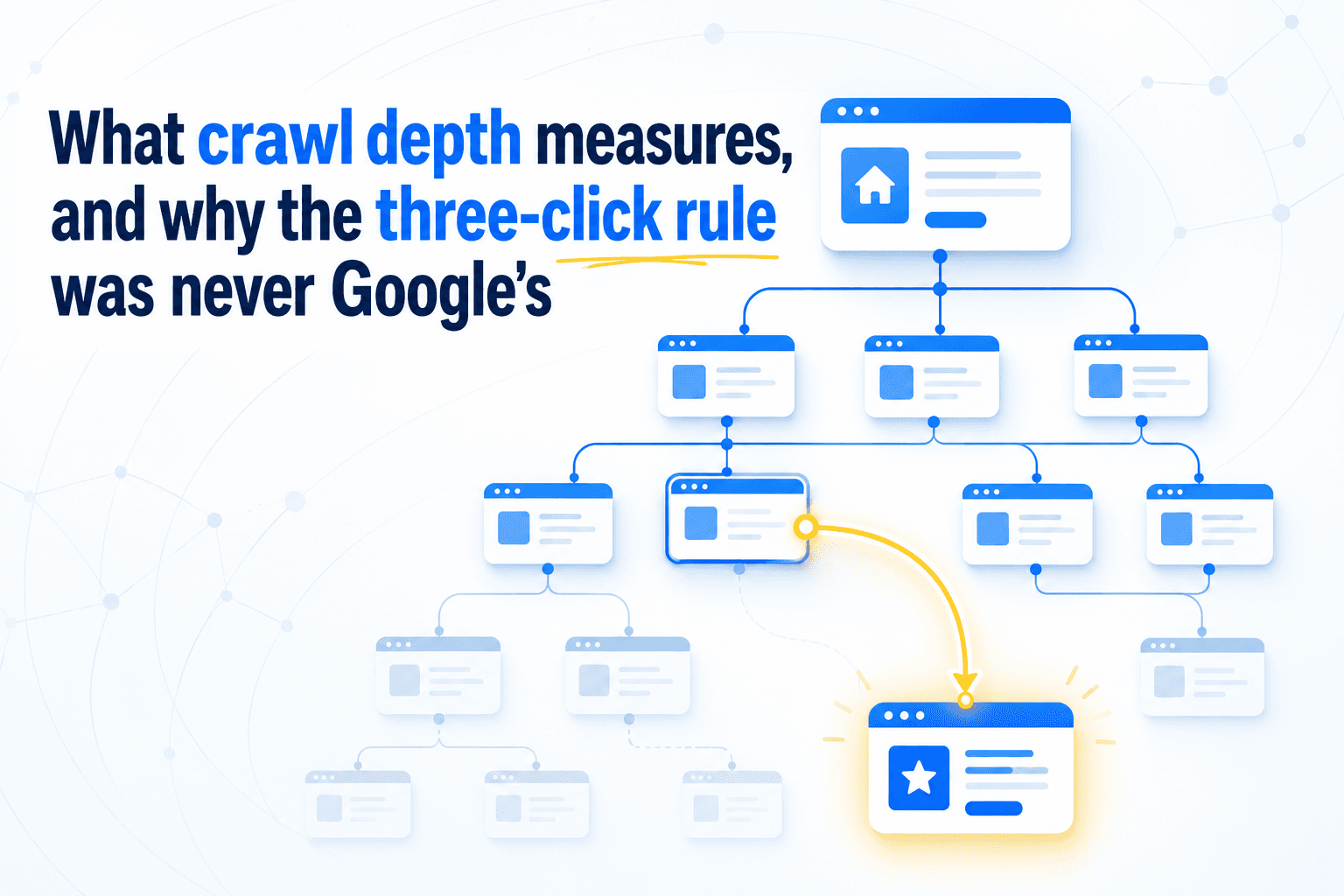
On site hierarchy, Mueller clarified that Google doesn't care about URL structure at all. It cares about click depth: "Just looking at the number of slashes in a URL doesn't tell us that this page is lower level or higher level within the site. It's really, from the homepage, or from the primary page, how quickly can we reach that specific page?" (Lumar).
On link dilution, he cautioned against over-linking: "If all pages are linked to all other pages on the website... there's no real structure there. It's like this one giant mass of pages... we can't figure out which one is the most important one" (iLoveSEO).
Gary Illyes confirmed that internal links are the number one way Google discovers URLs, with XML sitemaps ranking second (Uprankd). He also confirmed that Google still uses PageRank in 2017 and that breadcrumbs are "treated as normal links in e.g. PageRank computation" (X/Twitter).
Martin Splitt explained that pages found only through sitemaps with no internal links may be deprioritized. He directly linked orphan pages to the "Discovered – Currently Not Indexed" status in Search Console (Search Engine Journal).
The Reasonable Surfer patent
The Reasonable Surfer model is a Google algorithm described in patent US7,716,225 that assigns different values to different links on a page. It weights links based on the probability a real user would click them, considering position on the page, font size, whether the link sits in content or navigation, and actual user behavior data.
In practice, this means a contextual link in a paragraph passes significantly more value than a footer link or a "Terms of Service" link (SEO by the Sea). This explains why contextual links consistently outperform navigational links in every study. Google's own algorithm is designed to give them more weight.
Case studies with real traffic numbers
The evidence from real-world implementations confirms what the studies predict. Here are some of the most rigorously documented examples, organized by the type of improvement.
Large traffic increases
A HubSpot client using the topic cluster methodology with strategic internal linking saw organic blog traffic grow from 500 visitors/month to roughly 190,000 (HubSpot). HubSpot's own research found that websites implementing topic clusters see an average 43% increase in organic traffic compared to those that don't (Nightwatch).
NinjaOutreach implemented a tiered internal linking strategy across approximately 300 articles with no other SEO changes and saw a 40 to 50% increase in organic traffic within months.
A large auto marketplace analyzed by Botify increased average internal links per page by 15%. Combined with crawl improvements, Google's crawl rate increased by 19x and organic traffic doubled from 40,000 to 80,000 weekly visits in under three months (Botify).
Isolated, controlled improvements
These are especially convincing because internal linking was the only variable changed.
| Site type | Change made | Result | Source |
|---|---|---|---|
| Technology content site (DR 54) | Strategic internal link restructuring | +25% organic traffic in first month | Blackbook Digital |
| Large retail ecommerce | Increased internal links to top products | +23% traffic to target pages | seoClarity |
| Ecommerce (category pages) | More links from higher-level pages | +24% organic traffic for L2/L3 categories | seoClarity |
| Large retail brand | Internal link restructuring | +9,500 weekly organic visits within 3 weeks | seoClarity |
| InLinks client (48 pages) | 75 automated internal links | +440% impressions, +52% clicks in 3 months | InLinks |
Ranking improvements
Typeform went from "not ranking" to position #2 for "form builder", a keyword with 175K+ monthly search volume. Their strategy: an aggressive contextual internal linking campaign that included weekly "link parties" where the team would collectively add internal links across content (SEO Case Study).
An InLinks case study showed a single page moving from position 39 to the top 10 after adding 14 internal links over 127 days, with internal linking being the only change made (InLinks).
Indexation recovery
IFTTT discovered their internal links were JavaScript-rendered and invisible to crawlers. Only 59 pages were crawlable out of hundreds of thousands. After fixing this, they saw a 3x increase in indexed pages within two weeks and 33% year-over-year organic traffic growth (Uproer).
These aren't cherry-picked successes. The pattern is clear across dozens of documented cases: when you improve internal linking, traffic follows.
Internal linking in the age of AI search
The emergence of AI search engines (Google AI Overviews, ChatGPT Search, Perplexity) hasn't made internal linking less important. It has made it more important.
Kiteworks replaced over 53,000 static links with a dynamic, AI-powered link graph. The result: a 79% expansion in AI Overview presence, with their content citation rate climbing 20% higher than baseline within one week. They also achieved a 30% increase in indexed pages and 22% increase in top-3 rankings (Quattr).
An analysis of Yext's 2025 AI Citation data (covering 6.8 million AI citations) by WhiteHat SEO found that websites with topic clusters receive significantly more AI citations than single-page competitors. Sites with 5+ interconnected pages on a topic accounted for 86% of AI citations, and bidirectional internal linking was strongly correlated with higher citation probability (WhiteHat SEO).
Cognism's audit of 800+ pages found that top-performing pages averaged 35 to 45 internal links, compared to a median of 20 to 25 for average pages. The team called this "one of the strongest findings in the audit" (Cognism).
The mechanism makes sense when you think about how LLMs work. They don't crawl the web like browsers. They infer relationships from text signals. Internal links, surrounding text, and page structure all act as labels that connect entities and topics. When pages are embedded by an LLM, linked pages share vector proximity, meaning they're understood as semantically related (ZC Marketing).
There's also a practical constraint. AI crawlers like PerplexityBot cannot execute JavaScript and depend entirely on clean HTML links for content discovery. If your internal links are rendered client-side, AI search engines literally can't see them (Mike Khorev).
According to Keyword Insights, sites with strong topical authority appear in AI Overviews 3x more frequently than sites with weak authority, even when both rank on page one of traditional results (Keyword Insights).
Whether you optimize for Google, AI search, or both, internal linking is the foundation.
Why internal linking is the highest-ROI activity in SEO
The cost comparison between internal linking and backlink building tells the story on its own.
Internal linking costs $0 in hard costs. It requires time, but it's fully controllable, instantly deployable, and modifiable at any time. Backlink building typically costs $100 to $30,000+ per month, with individual links from high-authority sites running $500 or more each (Legiit).
Google's own statements suggest that the gap between internal and external link importance is narrowing. Gary Illyes stated in 2024: "I think they [links] are important, but I think people overestimate the importance of links. I don't agree it's in the top three. It hasn't been for some time" (Search Engine Land). Mueller predicted that "over time, the weight on the links, at some point, will drop off a little bit" (Search Engine Land).
That doesn't mean backlinks are useless. Authority Hacker's study confirmed that internal links from pages with more external backlinks improved rankings more. The two work together. But here is the key insight: internal links multiply the value of every backlink you earn. When authority enters your site through an external link, internal links are what distribute it to the pages that need it most.
As Stellar SEO puts it: "When authority is distributed intentionally, fewer links are required to move priority pages, and ROI improves without increasing spend" (Stellar SEO).
The optimal approach isn't choosing between internal and external links. It's using internal links to efficiently distribute the authority you earn through external link building.
Technical foundations: crawl budget, orphan pages, and depth
Understanding the technical mechanics explains why internal linking has such outsized impact, especially for larger websites.
Crawl budget
Botify's analysis of 413 million pages and 6.2 billion Googlebot requests found that Google ignores approximately half of enterprise website content. The deeper a page sits in the site architecture and the fewer internal links point to it, the less likely Google is to crawl it (Botify).
If Google doesn't crawl a page, it can't rank it. Internal links are how you tell Google which pages matter.
Orphan pages
An orphan page is a web page with zero internal links pointing to it from other pages on the same website. Orphan pages consume an average of 26% of crawl budget on enterprise sites while generating only 5% of organic traffic (Botify). Ahrefs data indicates that over 16% of a typical site's pages lack any internal links. Sites that regularly audit and fix orphan pages experience a 15 to 20% improvement in crawl efficiency (Gracker).
Martin Splitt from Google confirmed the connection: orphan pages are a primary cause of the "Discovered – Currently Not Indexed" status in Search Console. If Google can only find a page through your sitemap but can't reach it through internal links, it may simply choose not to index it.
Click depth
Botify's data shows that nearly 100% of pages at depth 1 to 3 get crawled, but rates drop sharply beyond that. Research from My Rankings Metrics found that pages at depth 1 to 3 generate 9x more SEO traffic than pages at depth 4 or beyond (InBlog).
An ecommerce retailer switching from deep to flat architecture saw 30% more organic traffic and 20% faster indexing of new products (DesignInDC). However, BrightEdge data shows that well-structured deep architectures achieve 23% higher organic visibility for long-tail keywords (OnwardSEO).
The answer isn't "make everything flat." It's to ensure your most important pages are reachable within 3 clicks from the homepage, while still using depth to organize niche content logically.
JavaScript-rendered links
Google takes 9x longer to crawl and index JavaScript content due to its two-phase rendering process (Prerender). One business that migrated to a JS framework with JavaScript-rendered internal links "proceeded to lose traffic worth an estimated $8,000 per day over the next 6 months, about $1.5 million USD" (Search Engine Watch).
Use standard HTML <a> tags for your internal links. As Martin Splitt put it: "There is an HTML link tag, you put a URL in the href, that's how you link and I don't know why people are reinventing the wheel" (Search Engine Land).
Start fixing your internal links
The evidence is overwhelming and consistent: internal linking is one of the highest-impact, lowest-cost activities in SEO. It improves rankings, increases crawl efficiency, distributes authority, and is becoming even more critical in the age of AI search.
The biggest challenge isn't knowing that internal linking matters. It's identifying the opportunities. Most sites have hundreds of missing connections, orphan pages, and underlinked content that they simply can't see without crawling and analyzing the full site.
Tools like Unveil SEO can automate this process by crawling your site, mapping your link structure, and surfacing the exact opportunities that will move the needle. But whether you use a tool or do it manually, the first step is the same: understand your current internal link structure, and start connecting the dots.